Deploy on 1Panel
Install 1Panel
Prerequisite: Install 1Panel panel first. For details, see 1Panel Official Documentation
Install sun-panel
Search for "sun-panel" in the "App Store" and click to install.
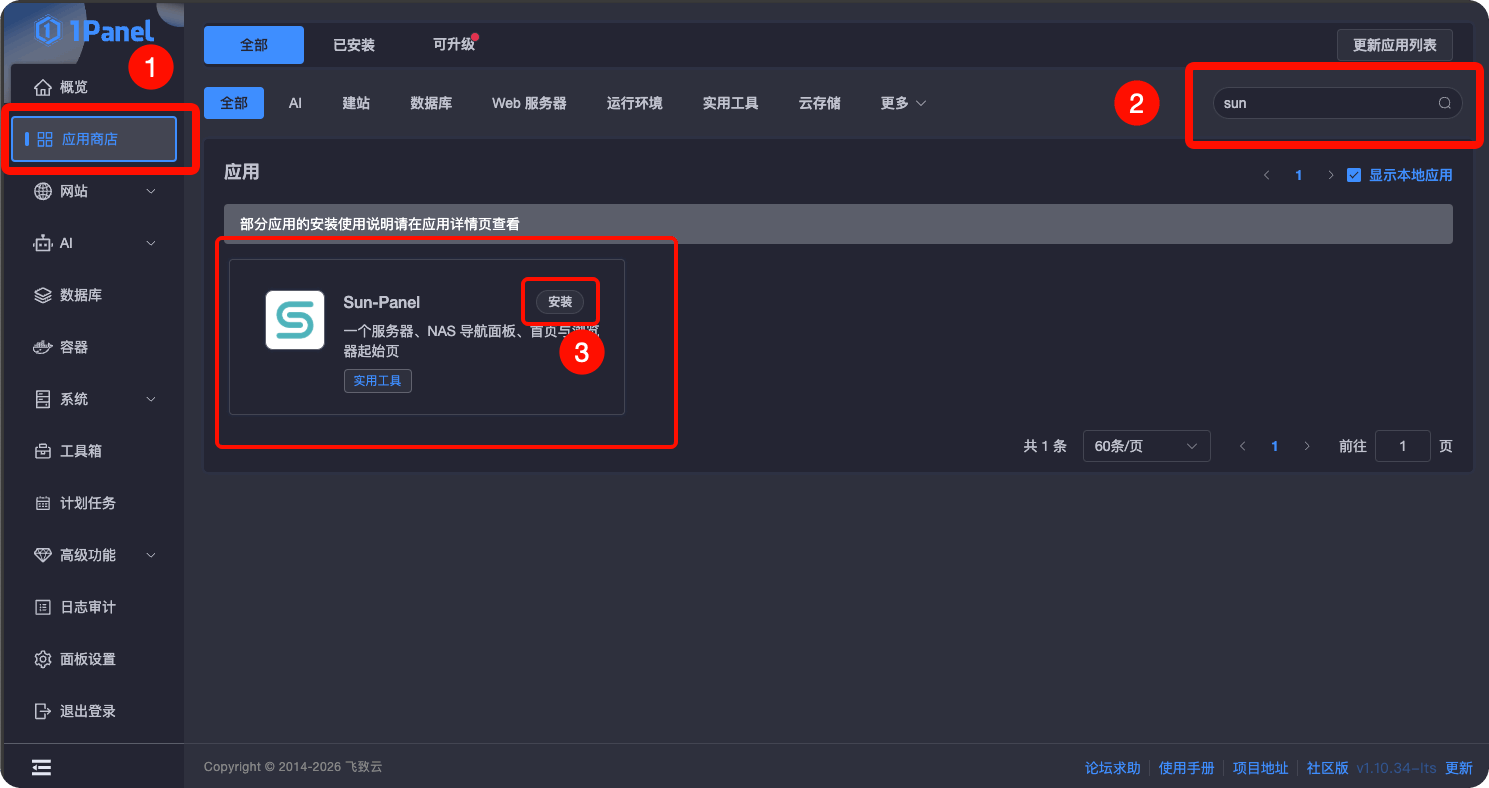
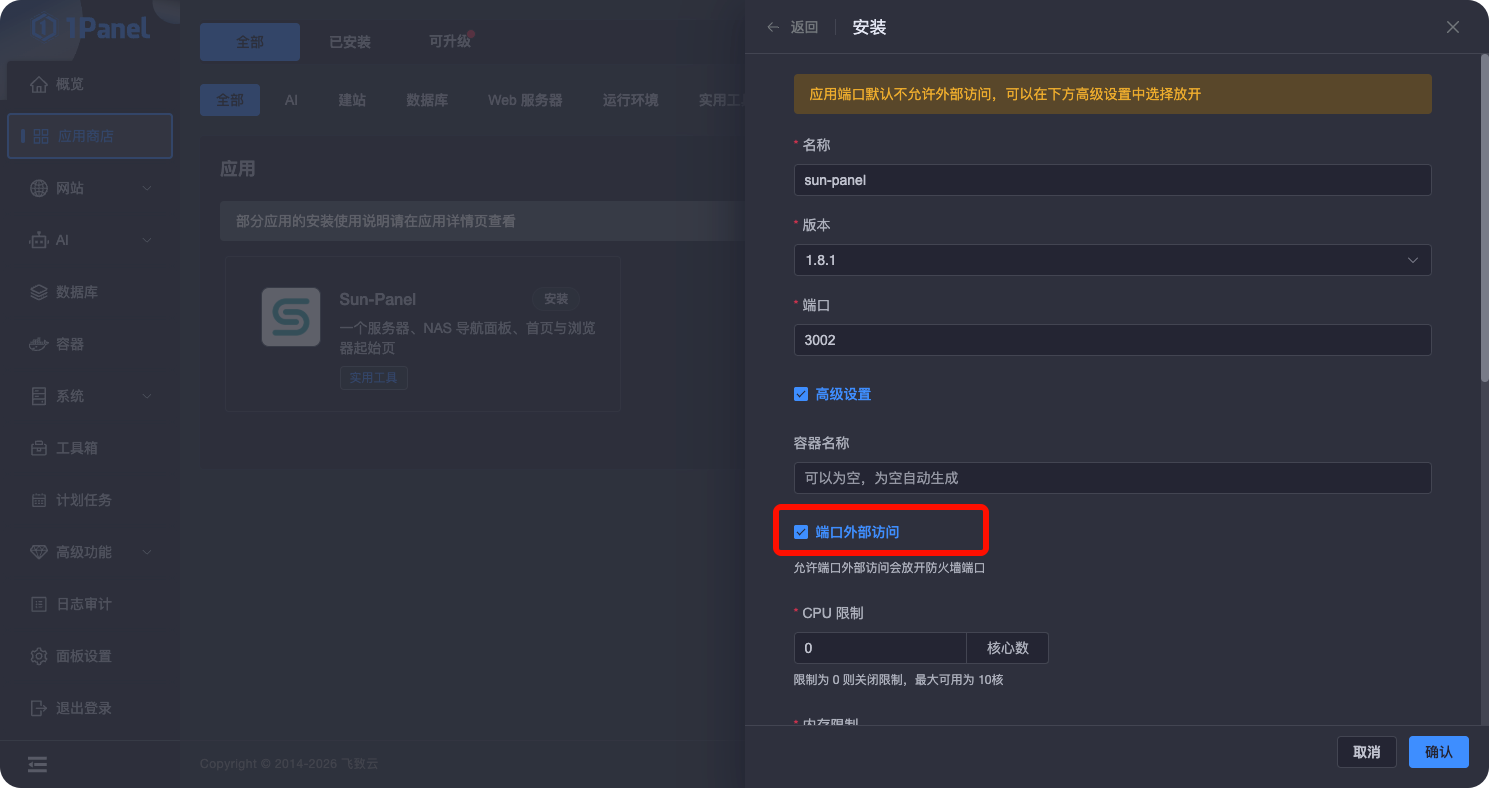
Select the version you want to install and check the required options.
(Optional) If you want to use container monitoring, you need to check "Edit compose file" and add the following code snippet in the file editor at the bottom to grant the container access to docker.sock:
yml
- /var/run/docker.sock:/var/run/docker.sock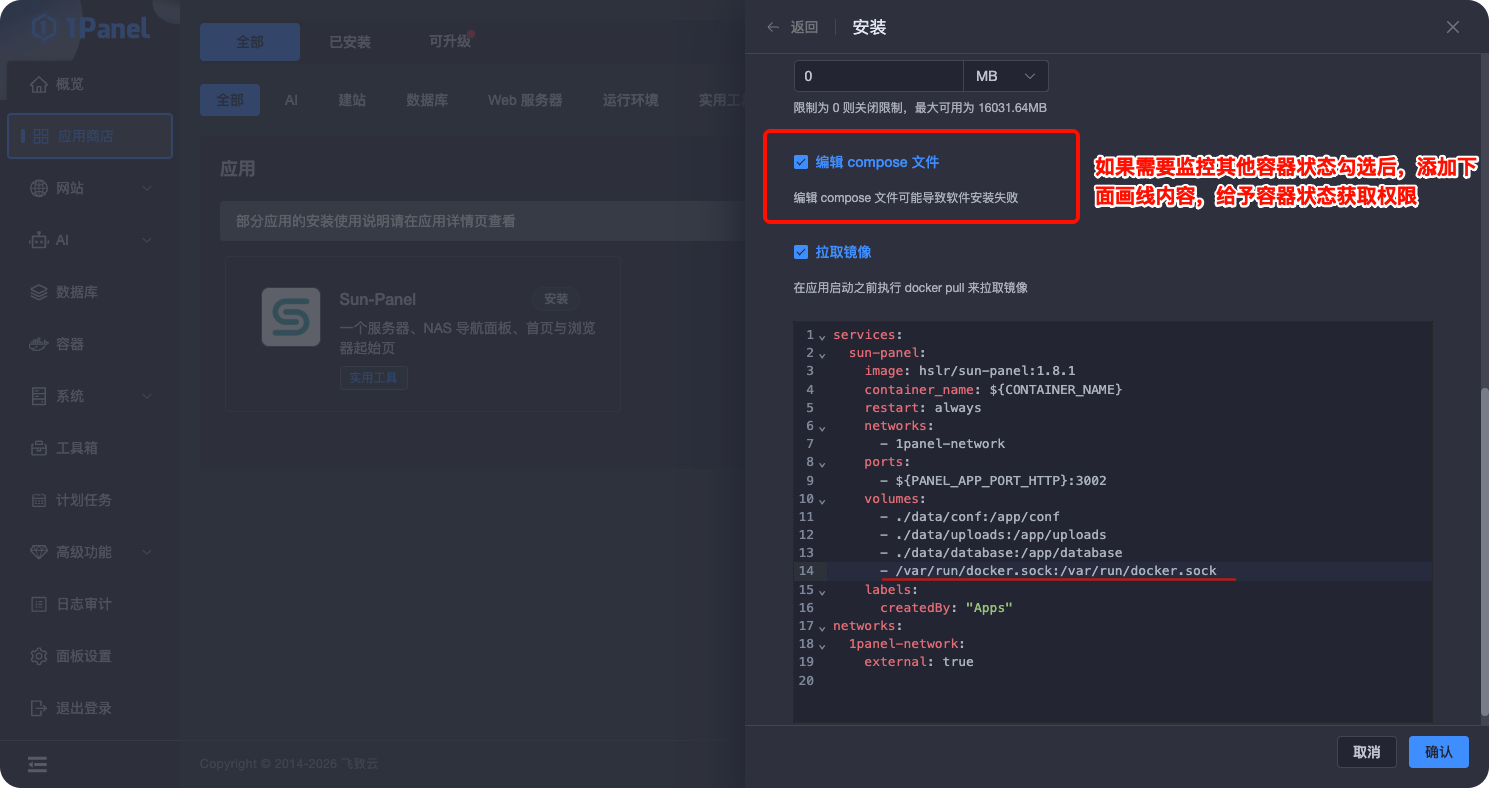
Fill in the configuration options and click Install.
Access and Usage
- Access via browser using the configured domain name or
ip:portformat - For default username and password, refer to: Default Deployment Guide