Micro App Development
Sun-Panel V2 fully supports the micro-app ecosystem, building an open and efficient plugin-based system.
TIP
The documentation is still being improved. If you are developing, please add the author's WeChat (95302870) so the author can add you to the developer group for easier communication.
What is a Micro App
A micro app is a plugin feature introduced in Sun-Panel V2. Developers can build micro apps just like ordinary web applications, then publish them to Sun-Panel for all users to use.
Micro apps support two display forms:
| Form | Description | Use Case |
|---|---|---|
| Widget | Card form, embedded in the navigation page | Small components such as weather, clock, quick tools |
| Page | Window form, standalone page | Fully-featured visualization tools or management interfaces |
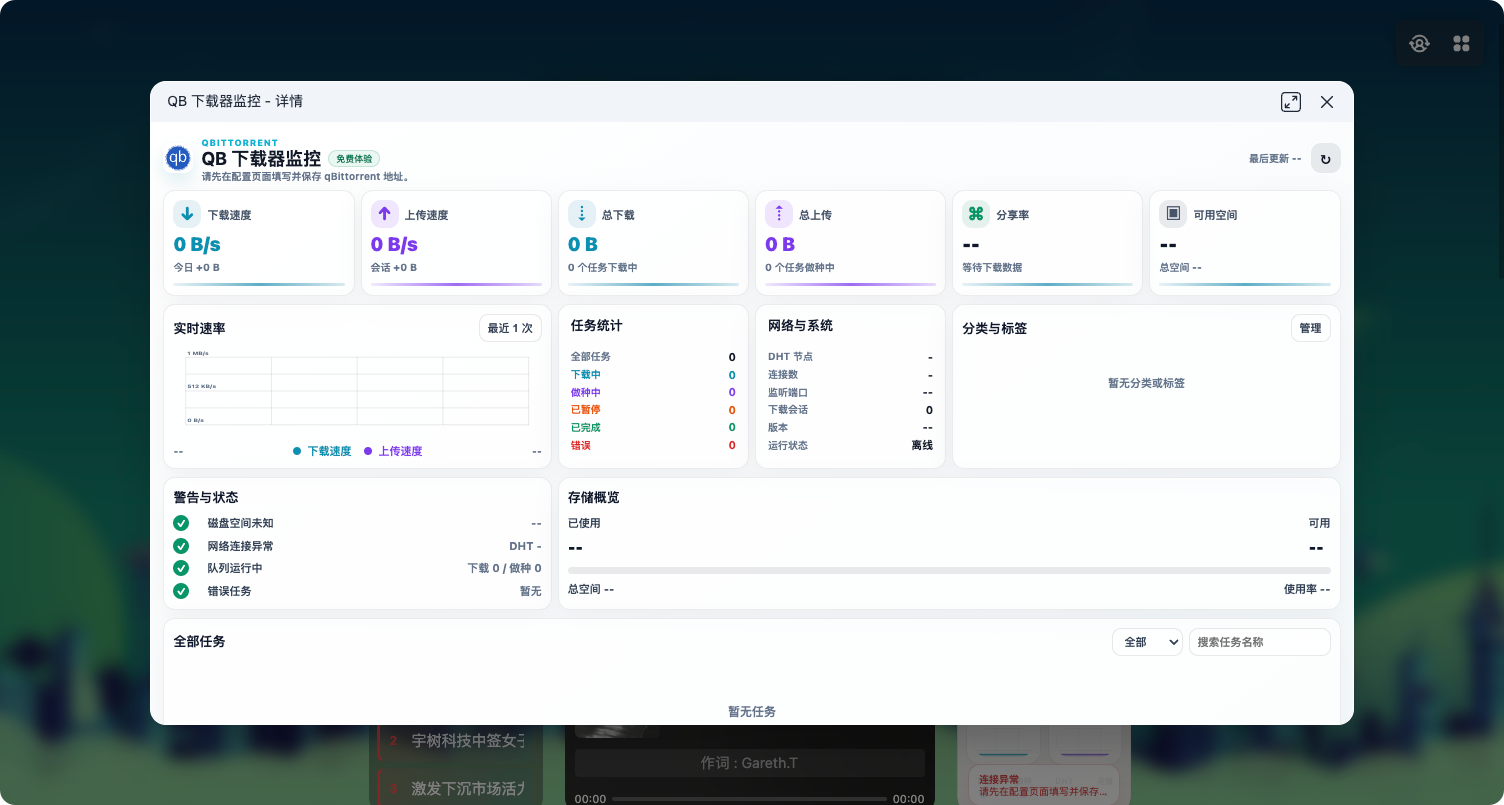
- Page component: Window form, standalone page. Can be configured via the page type as a widget configuration page or a main page.
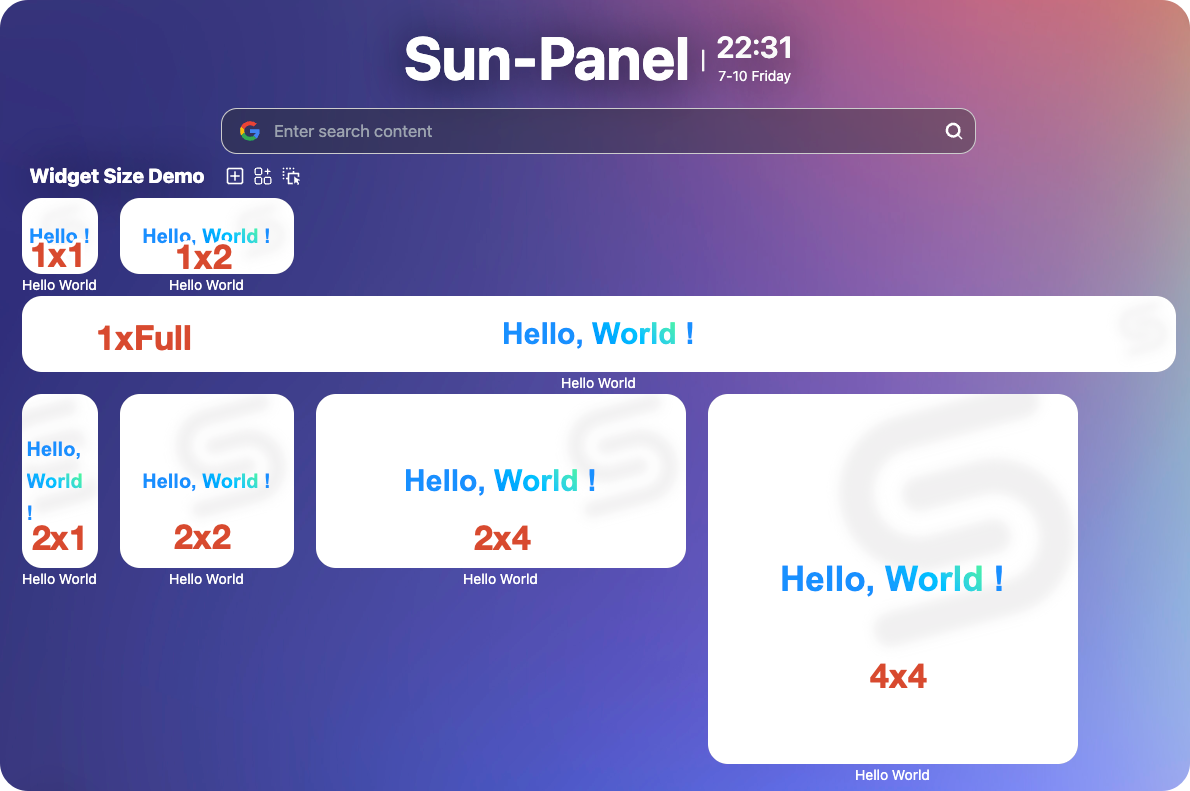
- Widget component: Added via the "Add Widget" button in the group toolbar, displayed within the navigation page.
Technical Architecture
Micro apps are built on Web Components and the Lit framework:
- Web Components - Native browser standard, truly framework-agnostic
- Lit - A lightweight Web Components framework maintained by Google, efficient and easy to use
Why this tech stack?
- Framework-agnostic: Works seamlessly with Vue, React, or no-framework environments
- High performance: Near-native rendering performance
- Style isolation: Shadow DOM provides natural isolation, styles don't interfere with each other
Core Features
- Component-based architecture, simple and efficient development
- Multiple size support: 1×1, 1×2, 2×1, 2×2, 2×4, 1×full, etc.
- Configuration-based development, manage app info through config files
- Automatic dark mode adaptation
- Platform API support: network requests, data nodes, local cache
- Multi-user data isolation
Development Guidelines
General Rules
- Must use the officially provided API for network requests. Directly using native methods like
fetch,ajax,axiosis prohibited. - Prohibited from accessing other micro apps' data (localStorage, IndexedDB, etc.)
- Prohibited from collecting user data in any form
- Prohibited from using dangerous methods such as
eval - The API provides some basic methods; try to use the API to implement these features. If the API doesn't provide the functionality you need, contact the author describing your use case to see if related APIs can be added later.
- A single micro app is recommended to contain at most 3 components. If there are too many features, consider splitting into multiple micro apps.
Additional Widget Rules
- Prohibited from floating layers exceeding the card bounds
- Prohibited from listening to right-click menu triggers
UI Collaboration Debugging Tool
@Madrays developed the UI collaboration debugging tool. Thanks for the hard work!
Quick Start
- Quick Start - Run Hello World in 5 minutes
- Project Structure - Understand directories and files
- Component Development - Learn how to develop components
- Platform API - Call platform capabilities